Watch step-by-step video tutorials that walk you through every aspect of Omni Loader. Topics include software installation, migration setup, data partitioning strategies, handling schema changes, and more advanced functionality.
.png)
Running an agent on a different machine is no more complex than copying binaries to the new machine and running a single executable file.

.jpeg)

Omni Loader is a powerful, modern database migration engine that moves hundreds of terabytes of data with minimal effort. Developed over 20 years, it was designed to overcome the limitations of legacy migration solutions.
With Omni Loader, you no longer need to spend hours or days on software setup. It works immediately out of the box with no customization required. It's fast, requires no setup, and is fully self-tuning for optimal performance right away.
Additionally, it scales horizontally. Performance increases directly with the number of machines in your cluster. It can handle multiple source databases of different types in a single project, saving time, money, and resources.
With Omni Loader, database migration becomes straightforward rather than a complex challenge.
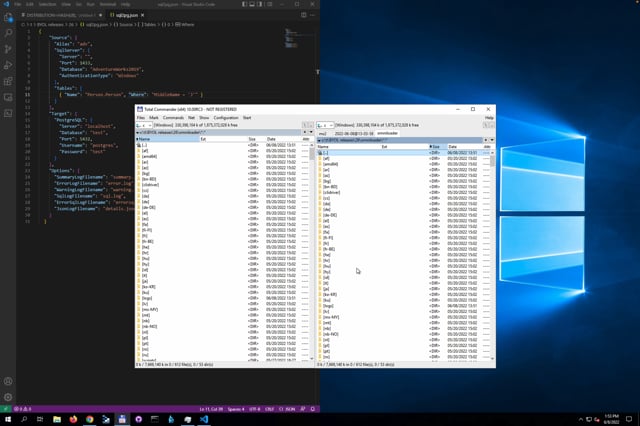
How to easily and efficiently copy data from SQL Server to PostgreSQL using our powerful, modern and easy-to-use database migration engine. The tutorial covers the basics of setting up the software, configuring the migration and executing the data transfer.
The introduction to using Omni Loader for data ingestion from SQL Server to Microsoft Synapse Analytics (formerly known as Azure SQL Data Warehouse). The tutorial covers the basics of setting up the software, configuring the migration, and executing the ingestion of data.
An in-depth look at how to use Omni Loader to customize data during migration process. It covers various advanced features of Omni Loader that allow you to customize the mapping of data between the source and target databases. The tutorial will show you how to configure the mapping according to the specific needs of your project, including mapping of different data types, handling of null values, and more. The tutorial will also cover best practices for customizing the mapping, as well as tips and tricks for ensuring a successful migration.
The video tutorial titled "Distributed Data Migration Cluster" is an in-depth look at how to use Omni Loader to migrate data in a distributed cluster environment. The tutorial covers the setup and configuration of a distributed data migration cluster using Omni Loader, including how to optimize performance and scalability by utilizing multiple machines in a cluster. The tutorial will walk you through the process step-by-step, making it easy for you to follow along and implement a distributed data migration using Omni Loader.
An introduction to using the console mode of Omni Loader. It covers the setup and configuration of the console mode, as well as how to use it to migrate data. It also covers best practices for using the console mode and how to optimize performance and scalability. The tutorial will walk you through the process step-by-step, making it easy for you to follow along and implement a data migration using the console mode of Omni Loader.
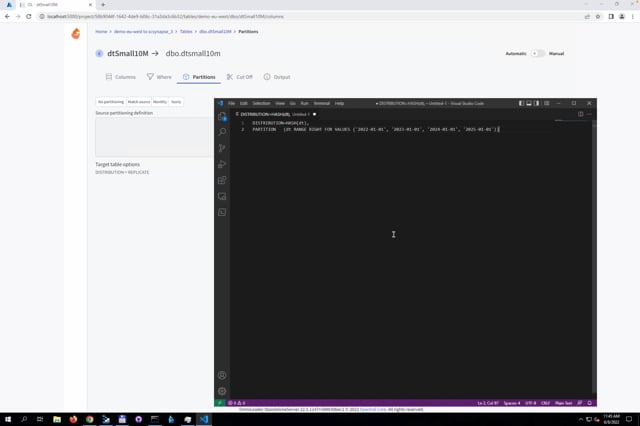
An in-depth look at how to use Omni Loader to partition data during migration process. It covers various advanced features of Omni Loader that allow you to partition data on the fly while migrating between the source and target databases. The tutorial will show you how to configure partitioning according to the specific needs of your project, including partitioning by data size, handling of null values, and more. The tutorial will also cover best practices for partitioning data, as well as tips and tricks for ensuring a successful migration.
An in-depth look at how to use Omni Loader to propagate name changes throughout the business logic during migration process. It covers various advanced features of Omni Loader that allow you to propagate name changes across different database objects like tables, columns, views and procedures, while migrating between the source and target databases. The tutorial will show you how to configure the propagation according to the specific needs of your project and how to handle different scenarios like renaming a column or a table. The tutorial will also cover best practices for propagating name changes and how to avoid common pitfalls and errors.
Ready to get started?


.svg)


